Freelance animation work comes with a hidden tax. You’re doing the creative work of a skilled specialist, but you’re also running the project management of a small studio — handling client communication, tracking revisions, organizing files, and making sure nothing falls through the cracks. All on your own, usually while also trying to do the actual work.
The studios you’re competing with have dedicated producers to handle all of that. You have one browser tab and a prayer.
Cotoon gives individual artists and small teams access to the same organizational infrastructure that large studios use — without requiring a team of people to run it. Here’s how to set it up to work for you.
First: Stop Emailing Files
The single highest-leverage change a freelance animator can make is getting clients out of their inbox and into a shared review environment. When files move through email, three bad things happen: you lose track of which version a client is commenting on, feedback arrives as vague prose rather than specific notes, and there’s no auditable record of what was approved.
Cotoon’s shareable review links give clients a clean, professional interface to view your work — 3D models render in the browser without plugins, videos are watchable inline — and leave feedback that’s attached to the exact frame or geometry they’re commenting on. No more “the thing around the 30-second mark” feedback. No more screenshots with arrows drawn in Preview.
You control the access level. A client can view and comment without seeing your full project, your pricing, or your other clients’ work. It looks like you built a custom client portal. You didn’t — you just shared a link.
Set Up Your Pipeline Like a Pro
Most freelancers manage revisions through folder names: v1, v2, v2_final, v2_final_APPROVED. This works until it doesn’t — which is usually around the third client change request.
Instead, build a simple production pipeline in Cotoon for each project. For a typical character animation job, something like Concept → Blockout → First Draft → Revision → Final Approval covers most workflows. For a simpler motion graphics gig, you might only need three stages.
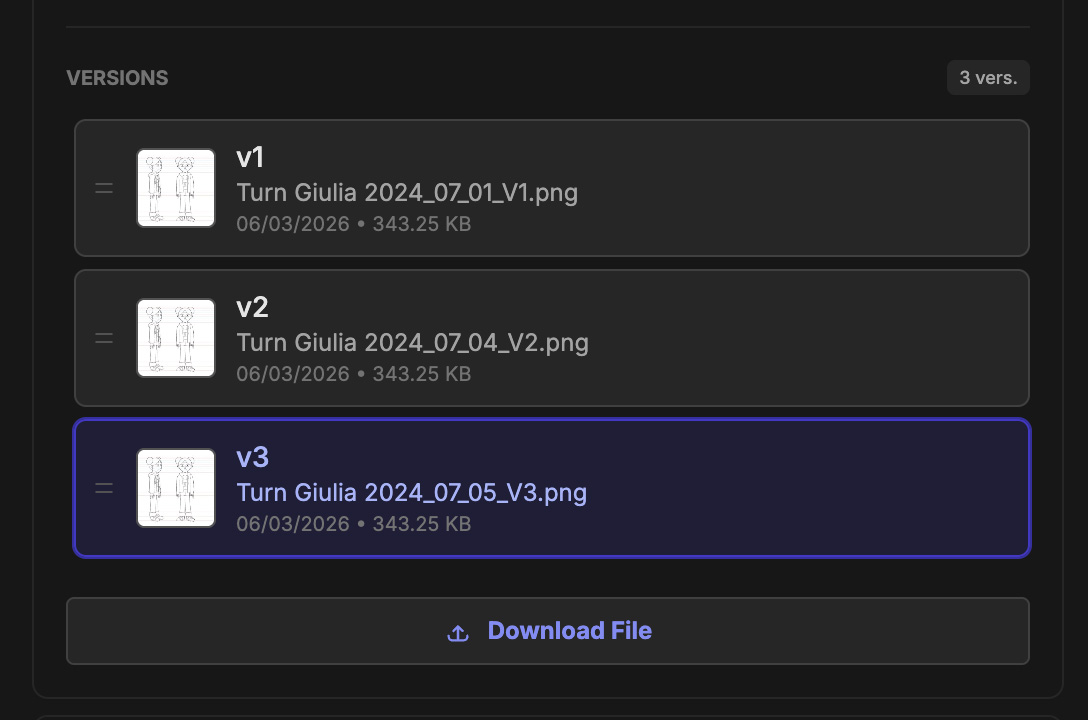
When you upload a new version, it stacks on the previous ones automatically with a visual history. The client’s feedback from round one stays on round one. When they’re reviewing round two, you both have a clean slate — and if there’s ever a dispute about what was agreed in a previous round, you both click back to the old version and read the exact conversation.
This removes an enormous amount of ambiguity from client relationships, which is where most freelance disputes originate.
Version Control Without the Git Nightmare
Artists are often told to use Git for version control, which is solid advice for code and catastrophic advice for 3D files. Git has no concept of a visual diff. It doesn’t know that a 200MB binary file has changed in a way that matters. And it has a learning curve that’s genuinely hostile to anyone who didn’t grow up in a terminal.
Cotoon handles versioning the way visual media actually requires: each upload stacks above the last, represented by an image preview so you can see at a glance what changed. You can tell the difference between v2 and v5 by looking at them, not by reading a commit message.
For freelancers, this also creates a professional paper trail. You have a timestamped record of every deliverable you’ve ever sent to a client — which version was approved, when, and by whom. That’s not just organization. That’s protection.
Keep Your Projects Separate, Your Workflows Consistent
One of the harder things about freelancing across multiple clients is context-switching. Every project has different assets, different deadlines, and different review expectations. It’s easy to lose track of where each one stands.
Use Cotoon’s Saved Views to build a personal dashboard that gives you a cross-project overview — a view that shows everything currently waiting on client feedback, regardless of which project it belongs to. Another that shows everything you need to work on this week. You set these up once and access them with a single click every morning.
For each project, you can build a lightweight Gantt schedule with your key milestones and deadlines. This isn’t about bureaucracy — it’s about having something credible to show a client when they ask where things stand, and something honest to look at yourself when you’re deciding whether to take on more work.
The Whiteboard as Your Creative Hub
Before production starts on a new project, a whiteboard is often the fastest way to align with a client on the creative direction. Drop in reference images, rough sketches, and notes — invite the client to comment directly on the canvas — and use that aligned brief as the foundation before a single polygon is created.
Because the whiteboard is integrated with your production workspace, the assets you create can be pulled back onto the board as the project evolves. A mood board that started with references ends up showing the actual character as it develops — the original vision and the execution, side by side.
What the Client Sees
Presentation matters more for freelancers than most people admit. A polished, organized review process signals professionalism before the client has even looked at your work. When someone opens a shared Cotoon link and sees a clean interface with their project’s assets clearly organized and a proper version history, it communicates that you are a serious professional who runs a serious operation.
That’s not theater. It’s the accurate reflection of the process you’re now running. The tool is doing the organizational heavy lifting; your creative work is the thing that speaks for itself.
Cotoon is free to start and scales as your projects do. Create an account and set up your first project.