Digital productions expand rapidly. A few early character drafts can multiply into a massive library of geometry, textures, and sequence renders in just a few weeks. When studios rely on basic folder structures, creative professionals inevitably waste valuable hours simply searching for the correct asset iteration.
To solve this digital clutter, Cotoon offers a highly specific sorting engine built around the realities of 3D and 2D pipelines.
Precision Filtering for Every Role
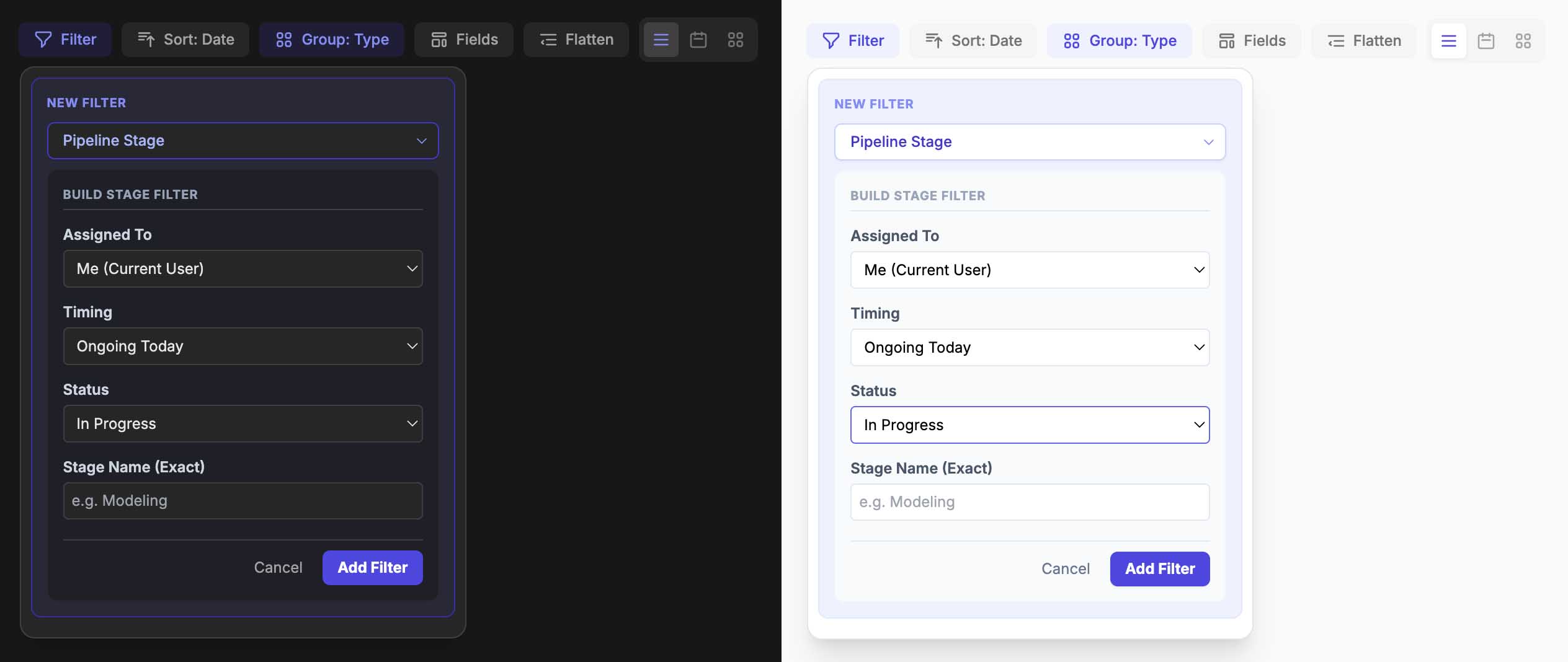
A basic search field is rarely sufficient when tracking hundreds of moving parts. Cotoon provides a comprehensive filtering system that allows you to isolate specific items using multiple parameters at once. You can actively filter your workspace by asset types, authors, custom classifications, designated reviewers, pipeline stages, current status, and even file dependencies.
This means a lead animator can instantly narrow down the entire studio database to show only the models that are currently marked for review and assigned specifically to them.
Organize with Dynamic Grouping
After narrowing down your file list, the platform lets you arrange the visual layout to match your preferred working style. You can seamlessly switch your workspace between list, grid, and schedule view modes.
Furthermore, you can group these results dynamically to make them easier to digest. You might choose to cluster assets by their file type, the assigned reviewer, or the original uploader. For deeper production tracking, you can even group items by specific pipeline stage details, organizing the board by stage name, stage assignee, or current stage status.
Create, Save, and Share Custom Views
Setting up these exact parameters manually every morning is a drain on productivity. Instead, once you have dialed in the perfect workspace layout—including your active columns, toggled filters, and sorting rules—you can capture it permanently as a Saved View.
This transforms how teams coordinate their daily efforts:
- Personal Dashboards: You can keep these configurations private, creating a personalized dashboard for your own daily tasks.
- Team Alignment: You can toggle a view to be public, sharing that exact layout and filter configuration with your entire team. This is perfect for standardizing “Weekly Dailies” or “Pending Approvals” lists.
- Favorites: You can star your most important configurations to keep them in a dedicated favorites list for instant, one-click access at the top of your screen.
You don’t have to let a growing project overwhelm your team. By utilizing these advanced sorting and viewing configurations, you can build a noise-free environment that keeps everyone focused on the creative process.