A finished animation is the product of hundreds of micro-decisions made across weeks or months. The problem most studios face isn’t talent — it’s that the scaffolding around the creative work is held together with duct tape. Files in Drive, feedback in Slack, schedules in spreadsheets, and versions in filename suffixes.
This is a walkthrough of how to structure a complete production in Cotoon — from the first concept sketch to the delivery file — with everything in one place and every stage connected.
Stage 1: Pre-Production — The Whiteboard Phase
Every production starts with ideas that don’t have a home yet. Before any geometry exists, you’re working with references, mood boards, storyboards, and rough sketches. This is where Cotoon’s infinite whiteboards earn their keep.
Create a whiteboard for each major creative pillar: one for visual references, one for the shot breakdown, one for the character lineup. The critical advantage here over tools like Miro is that as production ramps up, you can pull live assets from your project directly onto these boards. Your mood board doesn’t become a graveyard of outdated screenshots — it stays tethered to the actual files as they evolve.
Use the board’s dependency mapping to sketch out your shot list visually before committing it to the production schedule. This is the cheapest time to discover that shot 14 requires a prop that won’t be modeled until week three.
Stage 2: Asset Production — Model, Rig, Texture
This is where the pipeline work really begins. Set up your asset library in Cotoon before your team starts uploading files. Establish your naming conventions and custom classification tags (character, environment, prop, VFX) early — it’s dramatically easier to set these norms when the library has five items than when it has five hundred.
For each asset type, configure a pipeline with stages that match your studio’s review process. A character model might flow through: Blockout → Sculpt → Retopology → UV Unwrap → Texturing → Rigging → Director Approval. A background prop might only need four stages.
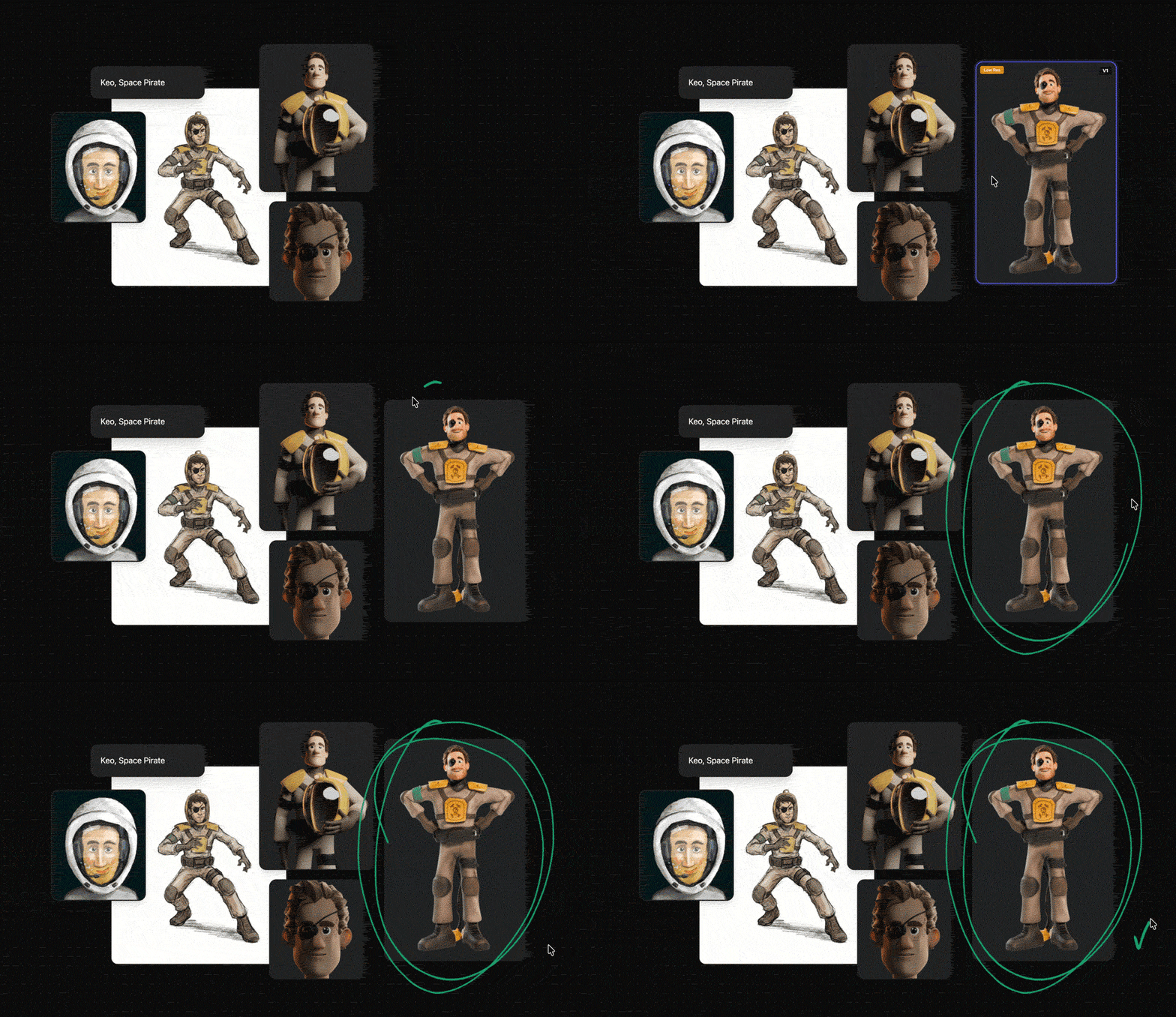
When artists upload new iterations, Cotoon stacks them automatically into a visual version history. Directors can scrub through the evolution of a model chronologically — seeing the actual geometry change at each stage — without downloading a single file. Feedback written on v3 stays anchored to v3 forever, so when you’re reviewing v7 there’s no confusion about what notes have already been addressed.
If your team is using the Blender desktop integration, saving a file in Blender is all it takes — the new version appears in Cotoon automatically.
Stage 3: Layout and Blocking
Once your core assets are approved, production moves into scene assembly. This is one of the most coordination-intensive phases because it involves multiple departments working on the same sequences simultaneously.
This is where Cotoon’s filtering and saved views pay real dividends. Your layout team needs to see all scene files assigned to them, currently in “Blocking” stage. Your director needs to see everything awaiting approval across all sequences. Your producer needs to see what’s behind schedule.
Rather than each person manually reconstructing their filter configuration every day, set these up as shared Saved Views — one click, and every team member is looking at exactly the right slice of the project. The director’s “Pending Approvals” view is standardized for the whole team. Nobody wastes time figuring out what they’re supposed to be looking at.
Stage 4: Animation
The animation phase is where frame-accurate feedback becomes non-negotiable. A note that says “the weight feels off at the landing” is useful; a note anchored to frame 247 of a specific shot is actionable.
Upload playblasts and draft renders as video files directly to the relevant shot’s asset entry. Reviewers can leave notes locked to specific frames and annotate directly on geometry — pointing out exactly where a limb is sliding or a cloth sim is breaking. All of that feedback lives on the specific file version it was written for.
When a new playblast comes in for the same shot, it’s a new version — the previous round of notes stays pinned to the previous file. The team starts each review cycle with a clear picture of what changed and what still needs work, without wading through resolved feedback from two weeks ago.
Stage 5: Lighting and Rendering
Render management is one of the highest-stakes phases of any production — render times are long, mistakes are expensive, and approval cycles need to be tight. Set up a pipeline stage specifically for render review, separate from animation approval.
Use the Gantt chart in Cotoon to plan your render schedule with working-day calculations. Set dependencies so that render tasks can’t start until the corresponding animation stage is signed off. If an animation note causes a delay upstream, the Gantt updates downstream tasks automatically — your whole schedule stays honest without manual babysitting.
For studios using the Blender plugin, render outputs can be configured to sync directly from your render folder to the correct production stage as they complete. A shot finishes rendering, and it’s immediately visible to the director for review — no waiting for someone to batch-upload overnight renders in the morning.
Stage 6: Compositing and Delivery
The final stages of production are often where the organizational debt accumulated earlier becomes most painful. If your asset management has been clean throughout, compositing is straightforward — every file is where it’s supposed to be, every version is clearly labeled, and nothing is missing.
Set your final delivery as a dedicated pipeline stage with its own checklist. Use the platform’s custom status fields to track quality control sign-offs, client approvals, and delivery confirmations for each deliverable independently.
When the project wraps, the full history of the production — every version of every asset, every piece of feedback, the complete timeline — is preserved in Cotoon. The next time a similar project starts, you have a real reference for how long each stage actually took, which is worth more than any estimate.
The Underlying Principle
The goal of a production pipeline isn’t to add process for its own sake — it’s to make the creative work easier by making the organizational work invisible. When your feedback is where your files are, when your schedule responds to your actual progress, and when everyone on the team can see exactly what they need to see without asking, the tools disappear and the work comes forward.
That’s what we’re building. If you want to try it on a real production, we’d love to talk.